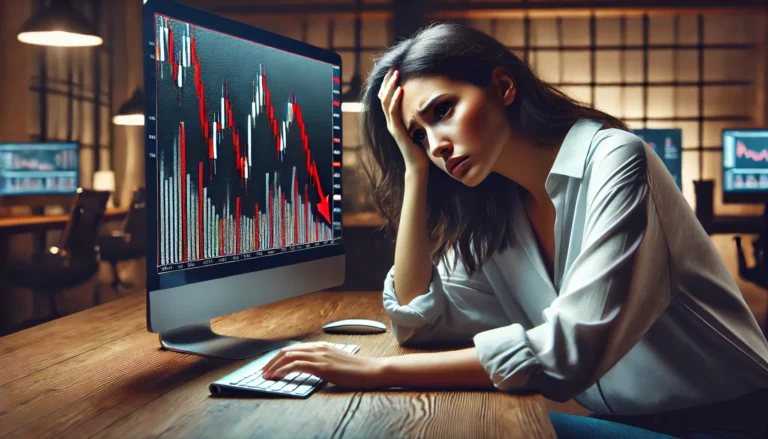
The “Incorrect Server Selected” error can disrupt your Forex trading, but understanding and resolving it is crucial for success.
In the world of Forex trading, one common issue that traders face is the “Incorrect Server Selected” message. This problem can be frustrating and confusing, especially for those who are new to trading. When a trader attempts to connect to their broker’s server and encounters this error, it can halt their trading activities, leading to missed opportunities and potential losses.
Both beginners and experienced traders may struggle with this issue. They might not fully understand the technical aspects behind it or how to resolve it quickly. Understanding the “Incorrect Server Selected” problem is crucial to maintaining a smooth trading experience. By solving this issue, traders can ensure they remain connected and ready to act in the fast-paced Forex market.
On August 13, 2025, traders will want to stay updated with the latest market movements. For valuable insights, check out the Forex Fundamental News Analysis August 13, 2025.
Understanding the Problem
The “Incorrect Server Selected” issue occurs when a trader tries to connect to the wrong server or when the server is down. This could be due to a few reasons. Sometimes, it’s a simple mistake where a trader selects the wrong server from a list. Other times, it could be caused by internet connection issues or maintenance on the broker’s side.
For example, imagine you are a trader ready to execute a trade on a busy Monday morning. You open your trading platform, but instead of seeing the usual market data, a message pops up: “Incorrect Server Selected.” This can happen if you mistakenly select a demo server when you need the live trading server. Or perhaps your broker is conducting maintenance, which can also lead to this frustrating situation. Understanding these possible scenarios can help traders react better when they face this issue.
Solutions for Incorrect Server Selected
Resolving the “Incorrect Server Selected” error can be achieved through a few simple steps. Here’s a guide to help both beginners and advanced traders get back on track.
Step-by-Step Solutions
- Check Your Server Settings: Double-check to ensure you have selected the correct server. If you are trading live, make sure you are not on a demo server.
- Restart Your Trading Platform: Sometimes, a simple restart of the platform can help re-establish the connection.
- Verify Internet Connection: Ensure that your internet connection is stable. A poor connection can lead to server errors.
- Contact Your Broker: If the problem persists, reach out to your broker’s support team for assistance.
- Update Your Trading Software: Keeping your trading software updated can prevent compatibility issues.
For advanced traders, here are some pro tips:
- Use VPNs Wisely: If you use a VPN, ensure it is configured correctly to avoid server conflicts.
- Monitor Server Status: Some brokers provide server status updates. Check this regularly.
Additionally, staying informed about the latest trends in the world fx can help you understand market conditions that may lead to server issues.
Frequently Asked Questions
1. How do I detect this issue in real-time?
You can detect this issue by closely monitoring your trading platform. If you notice that your trades are not executing or the market data is frozen, it might indicate an incorrect server selection.
2. Can brokers legally do this?
Yes, brokers can have multiple servers, and sometimes they may require you to connect to different servers based on your account type. Always check your broker’s policy.
3. What tools can I use to prevent this?
Using a reliable trading platform that automatically connects you to the correct server can help prevent this issue. Always ensure your settings are configured correctly.
4. Is this problem more common in specific market conditions?
Yes, this issue may arise during high volatility periods when many traders are online, leading to server overloads. Always check your connection before major market events.
5. What should I do if the issue persists after trying the solutions?
If the problem continues, it’s essential to contact your broker’s support team. They can provide insights and help resolve any technical issues.
Conclusion
In conclusion, the “Incorrect Server Selected” issue can be a significant hurdle for Forex traders. However, understanding the problem and following the right solutions can help you manage or avoid it. Stay informed, and keep improving your trading strategies to navigate the Forex market effectively.
Stay curious and proactive in your trading journey. Remember, every problem has a solution, and you’re not alone in this!
Recommended Next Steps
To further enhance your trading experience and avoid the “Incorrect Server Selected” issue, consider these steps:
- Regularly update your trading software to ensure compatibility.
- Stay connected with your broker for any updates or changes.
- Practice good internet habits to maintain a stable connection.
- Educate yourself on the different servers your broker offers.
By following these recommendations, you can reduce the risk of encountering server issues in the future and improve your overall trading performance.
This post complements what we’ve discussed here—check it out for more insights NerdWallet, MQL5
Expand Your Knowledge
- 📌 Forex Trading Learning Road Map
- 📌 Forex Trading Course with no Fees
- 📌 Forex Trading Issues, Problems, and Solutions
- 📌 Forex Daily Forecast & Live Updates
- 📌 Forex Fundamental & News Analysis: Tomorrow’s Market Movers & Trade Opportunities
- 📌 Forex Education Hub: Learn & Profit
- 📌 Forex Technical Analysis, Indicators & EA’s
Start Trading Today
Ready to take your forex trading to the next level? Open an account with Exness, one of the most trusted platforms in the industry. 👉 Sign Up Now and trade with confidence!
My recommended broker stands out with ultra-low spreads for beginners, instant withdrawals, and zero spread accounts for pro traders.
Trusted since 2008, lightning-fast execution, no hidden fees, and a secure, transparent trading environment—giving you the edge you need to succeed. 🚀
YouTube Video Library: Related Videos
Note: The video above is embedded from YouTube and is the property of its original creator. We do not own or take responsibility for the content or opinions expressed in the video.